
01
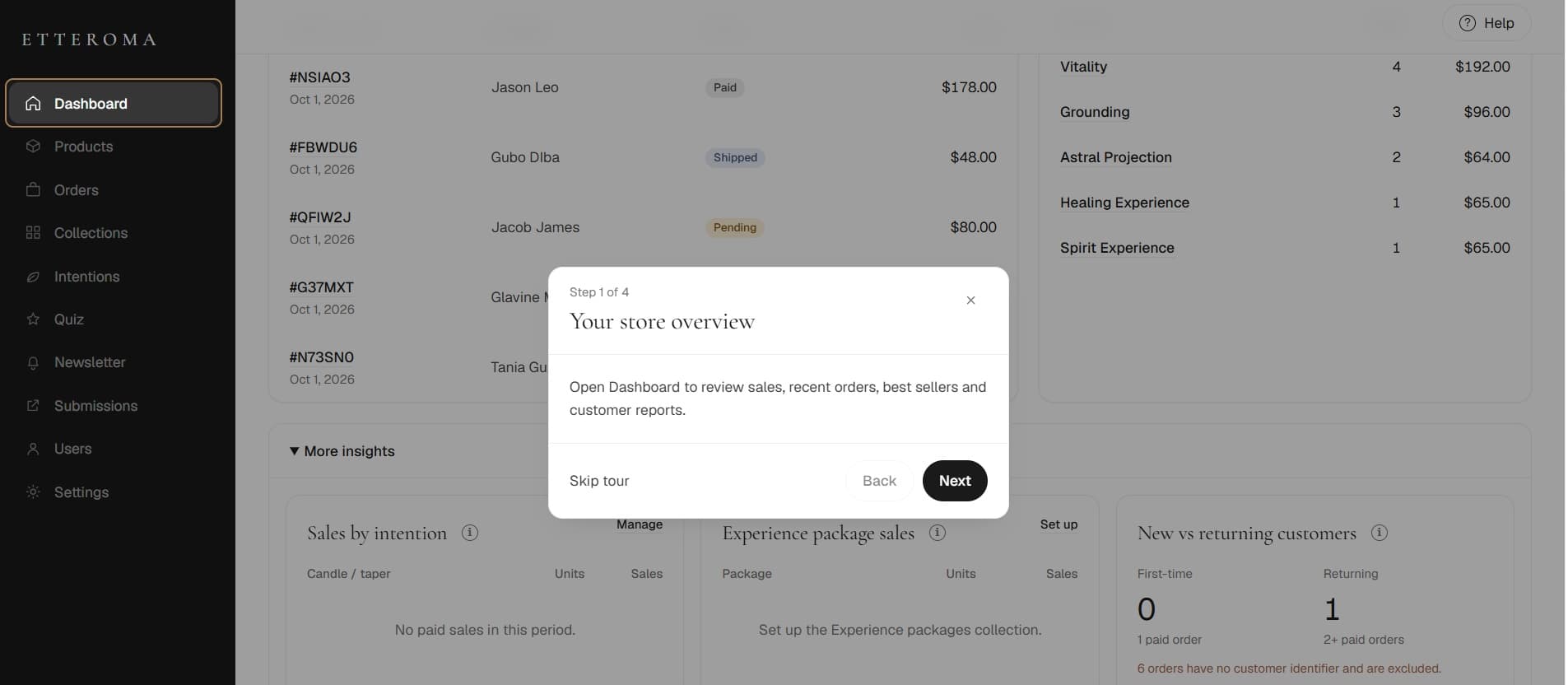
Store overview
Understand sales, orders and reporting.
Etteroma needed one place to manage the work behind its online store - products, inventory, collections, orders, fulfillment, and sales reporting.
We built a custom operations dashboard that brings those workflows together, so the business can manage day-to-day activity from one connected interface.
31
Products
3
Collections
5
Order states
4
Onboarding steps
9
Operating areas
Stack
Operational context
The dashboard had to support several different kinds of work without treating them as unrelated admin tasks.
Products carry more than a name and price. Collection, options, pricing, stock, availability and organization all matter.
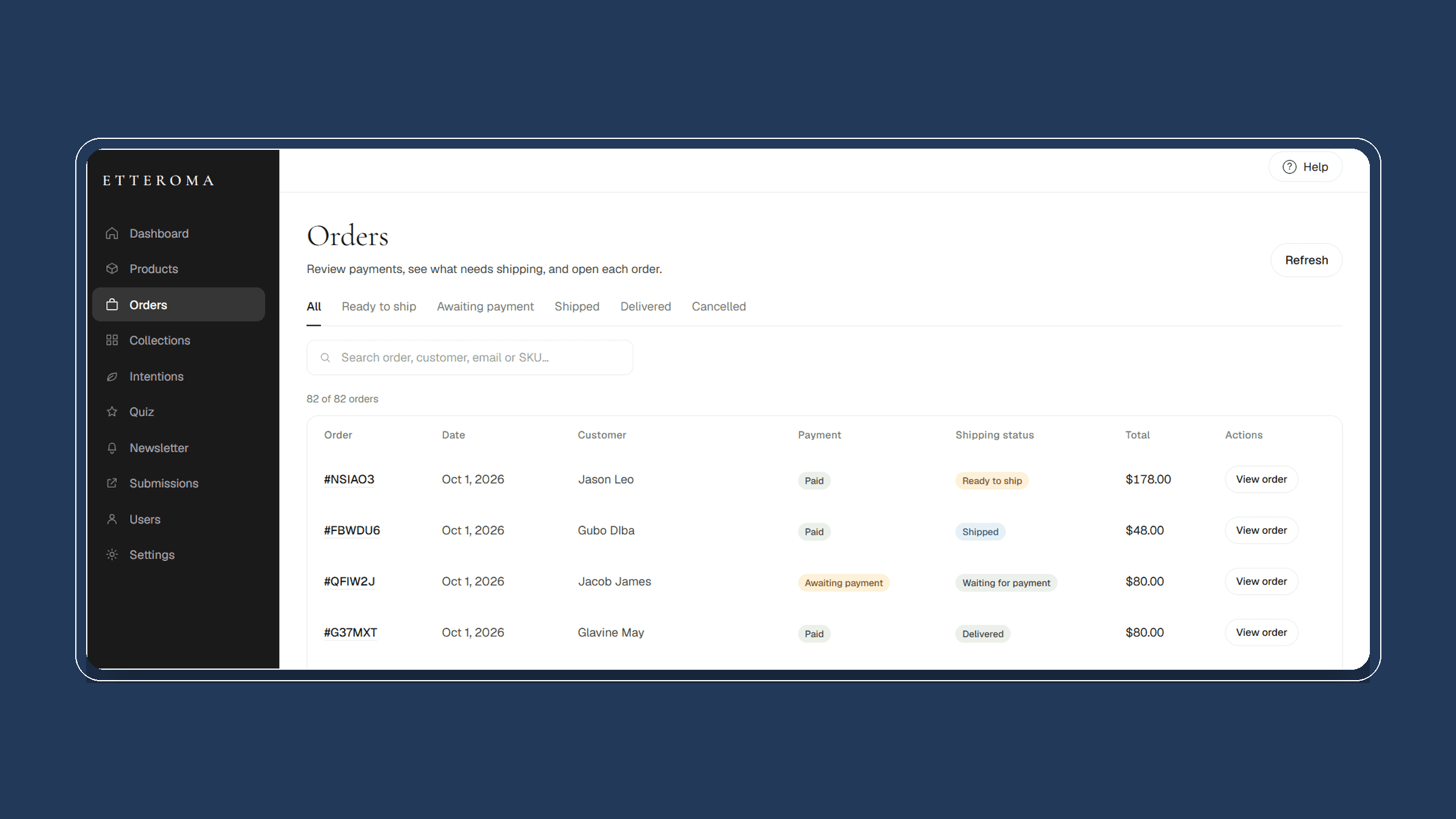
Payment and fulfillment answer different operational questions as each order progresses.
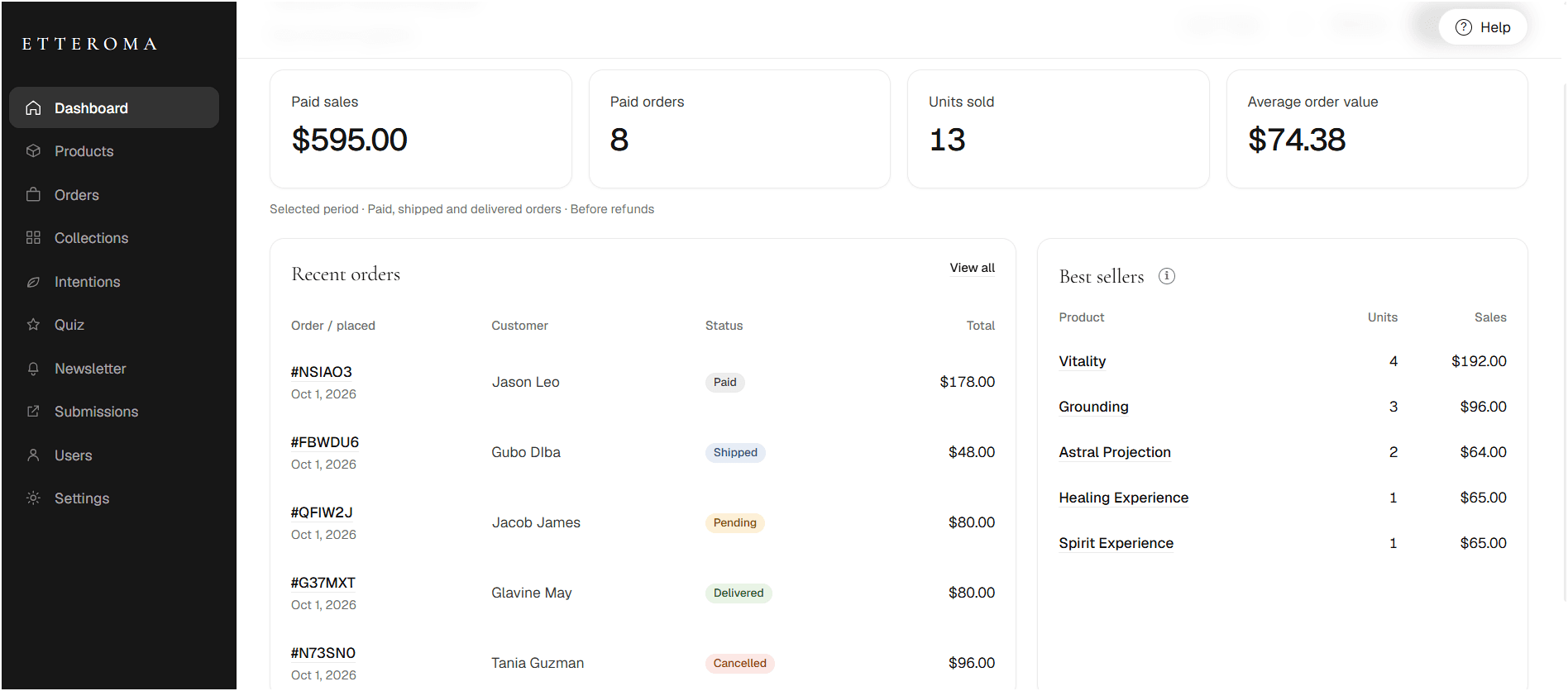
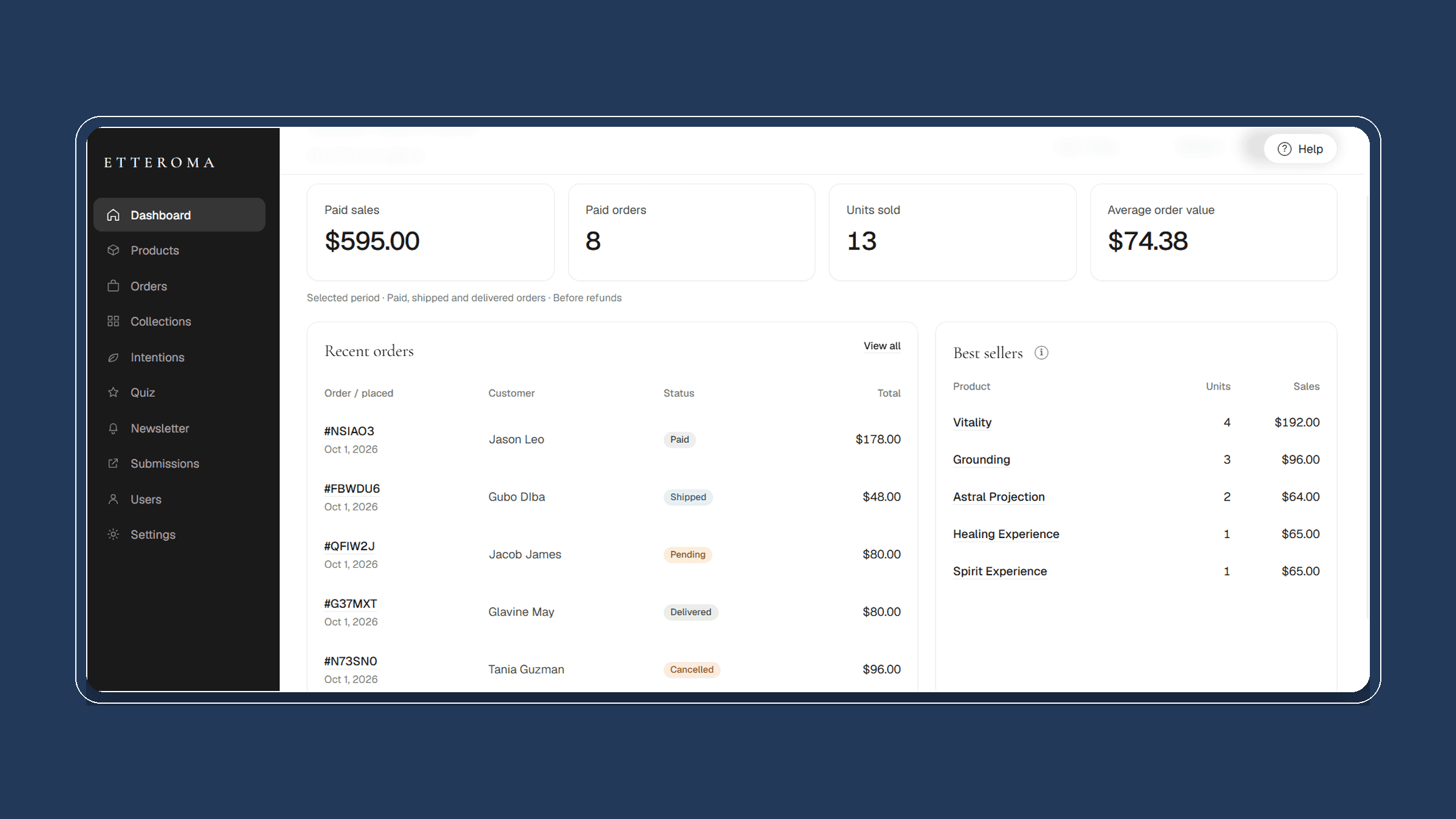
Paid sales, paid orders, units sold, recent activity and best sellers need to be visible in the operating environment.
What shaped the build
The structure came from how the information connects and how work moves through the business.
A product connects to its collection, available options, current price, stock and status.
Payment answers whether the transaction is complete. Fulfillment answers what happens next operationally.
Guided onboarding and contextual help keep key tasks and reporting logic documented inside the product.
Store overview
The opening dashboard brings the current state of the operation into one view.
How much has been paid?
Paid sales show current commercial activity for the selected period.
How many paid orders are there?
Completed transactions remain distinct from orders still awaiting payment.
What is actually moving?
Units sold and best sellers show which products are generating activity.
What just happened?
Recent orders surface the latest purchases and current status.
Catalog administration
Pricing, inventory, options, availability and product groupings evolve over time. The catalog view keeps those operating details together.
Product
Core product record.
Collection
Where it belongs.
Options
Product variations.
Price
Selling price or range.
Stock
Available inventory.
Status
Current availability.
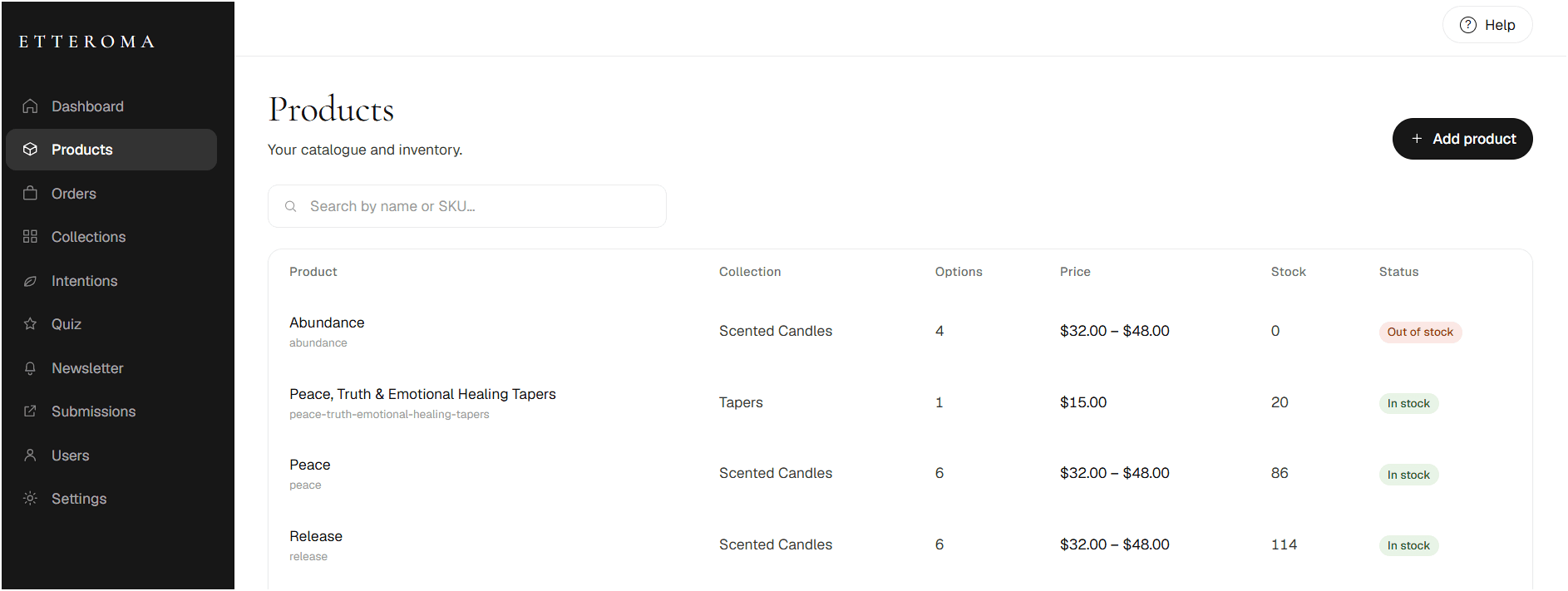
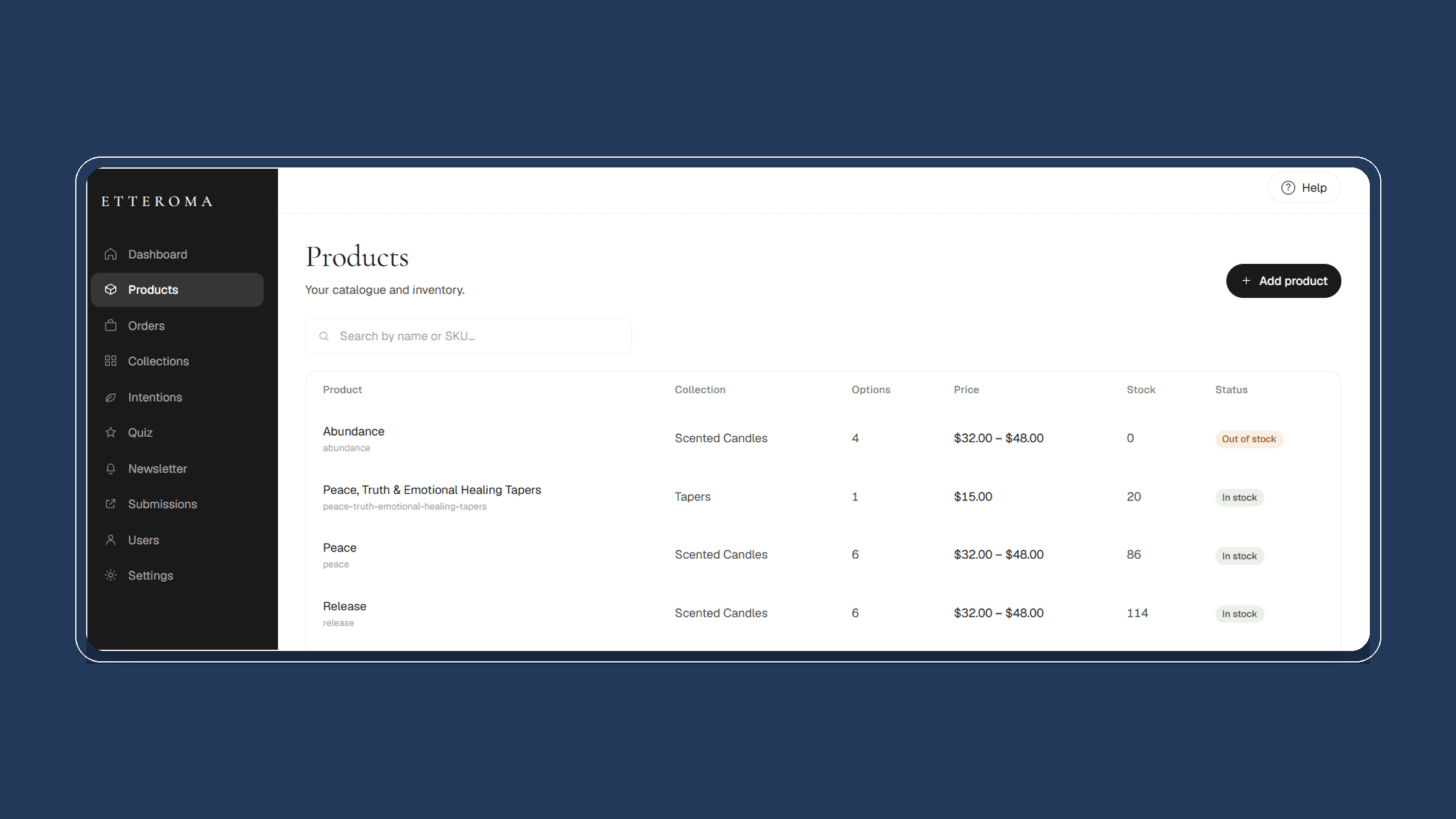
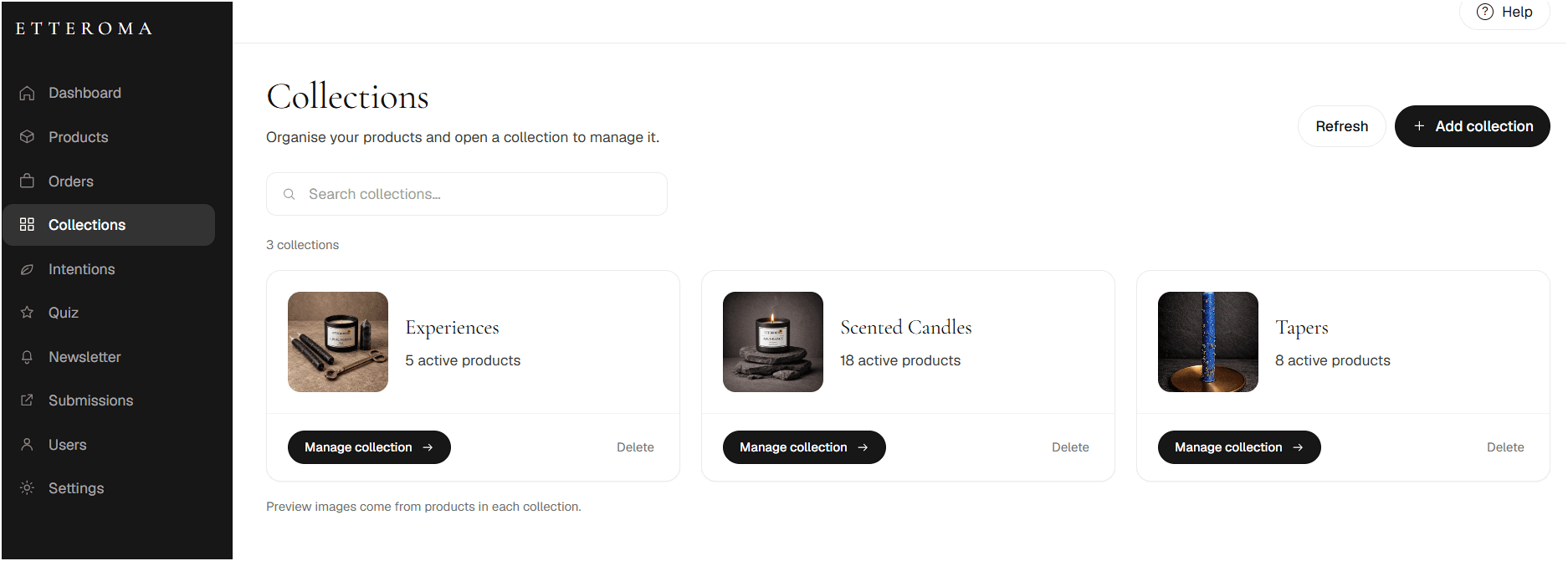
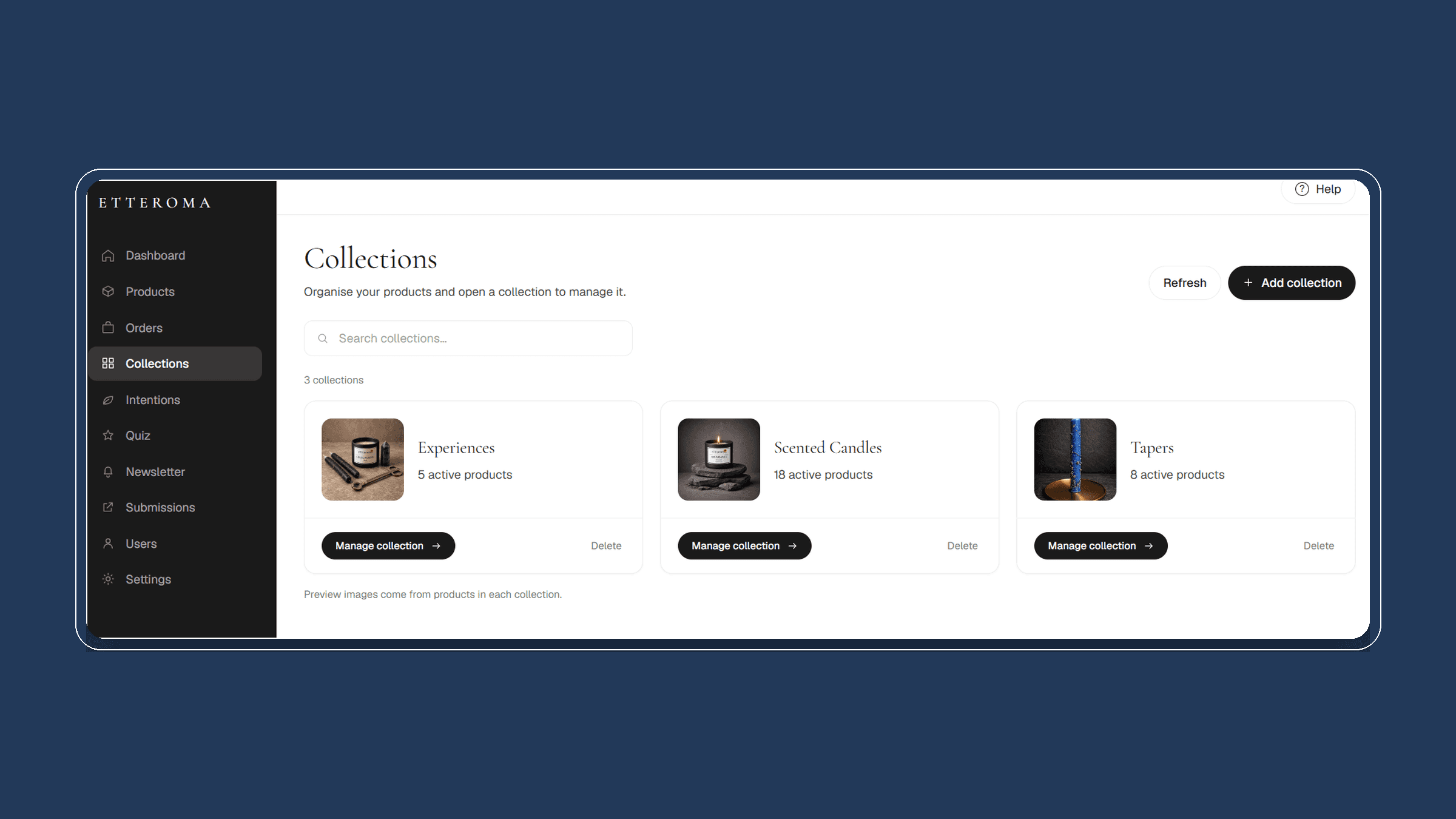
Product groups can be created, reviewed and maintained as the catalog evolves.
Order lifecycle
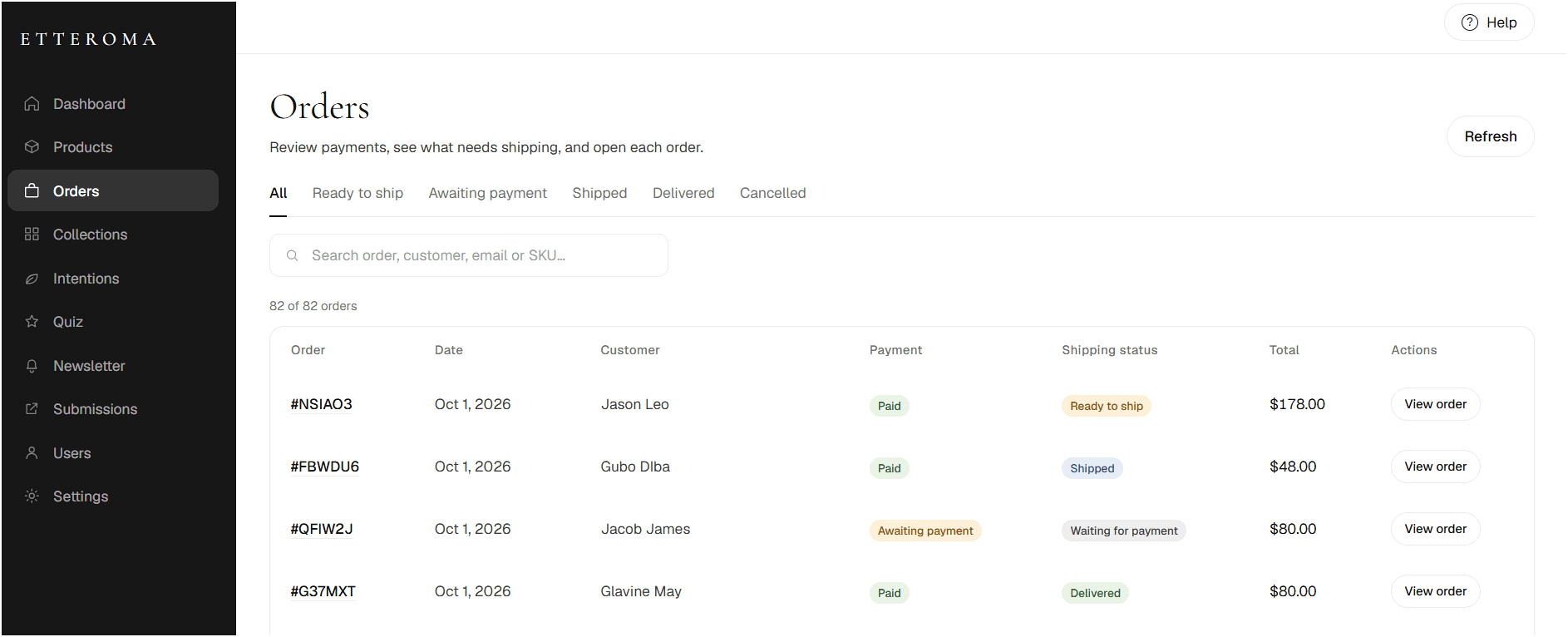
Payment and fulfillment remain visible as two connected parts of the same order.
What moves with the order
Payment state
Whether the transaction has been completed.
Fulfillment state
What operational step comes next.
Customer communication
Transactional messages can stay connected to order activity.
01
Awaiting payment
Payment incomplete.
02
Ready to ship
Fulfillment can begin.
03
Shipped
Order in transit.
04
Delivered
Fulfillment complete.
05
Cancelled
Order exits flow.
01
Awaiting payment
Payment incomplete.
02
Ready to ship
Fulfillment can begin.
03
Shipped
Order in transit.
04
Delivered
Fulfillment complete.
05
Cancelled
Order exits flow.
Guided handoff
Guided onboarding introduces the main operating areas, while contextual help keeps task-level instructions available inside the dashboard.
What the handoff covers
Orientation
Where the core operating areas live.
Core tasks
Products, collections, orders and reporting.
Reference
Help & Tutorials remains available inside the dashboard.
Store overview
Understand sales, orders and reporting.
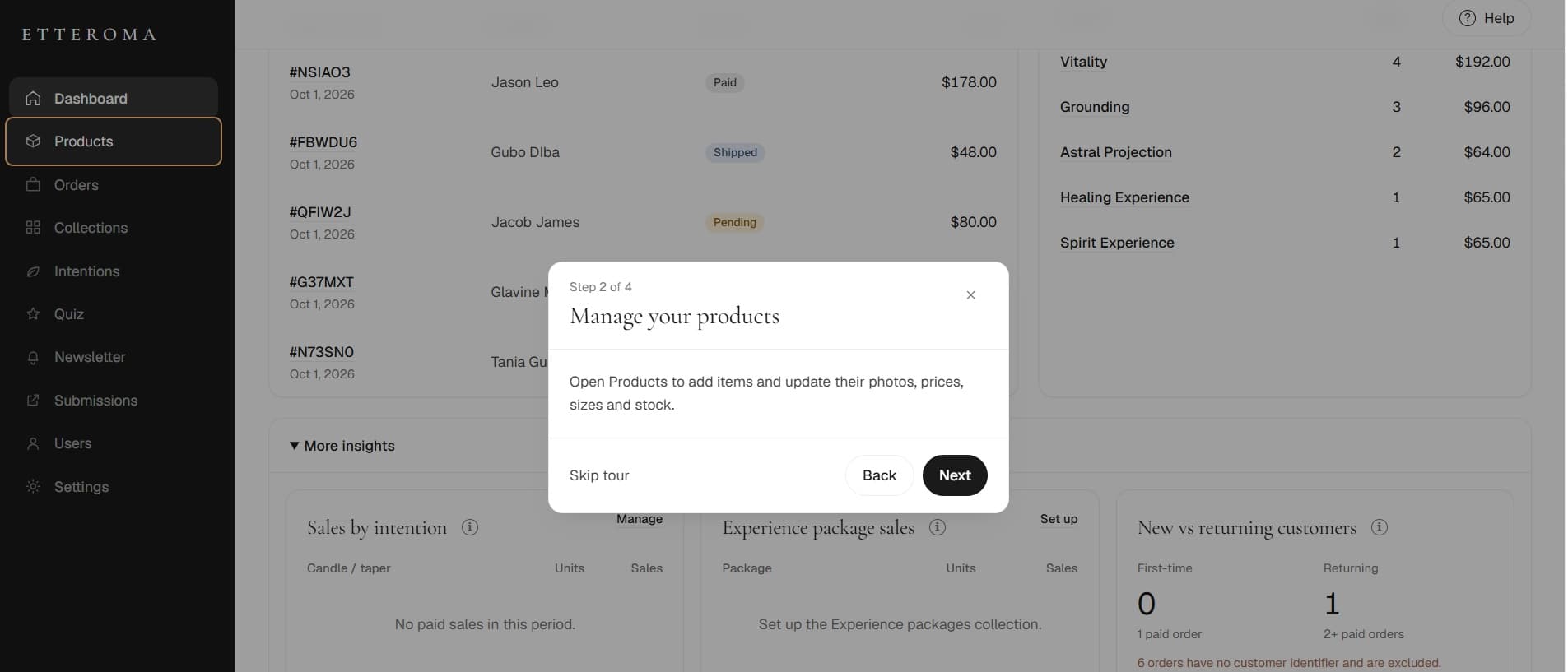
Manage products
See where catalog administration happens.
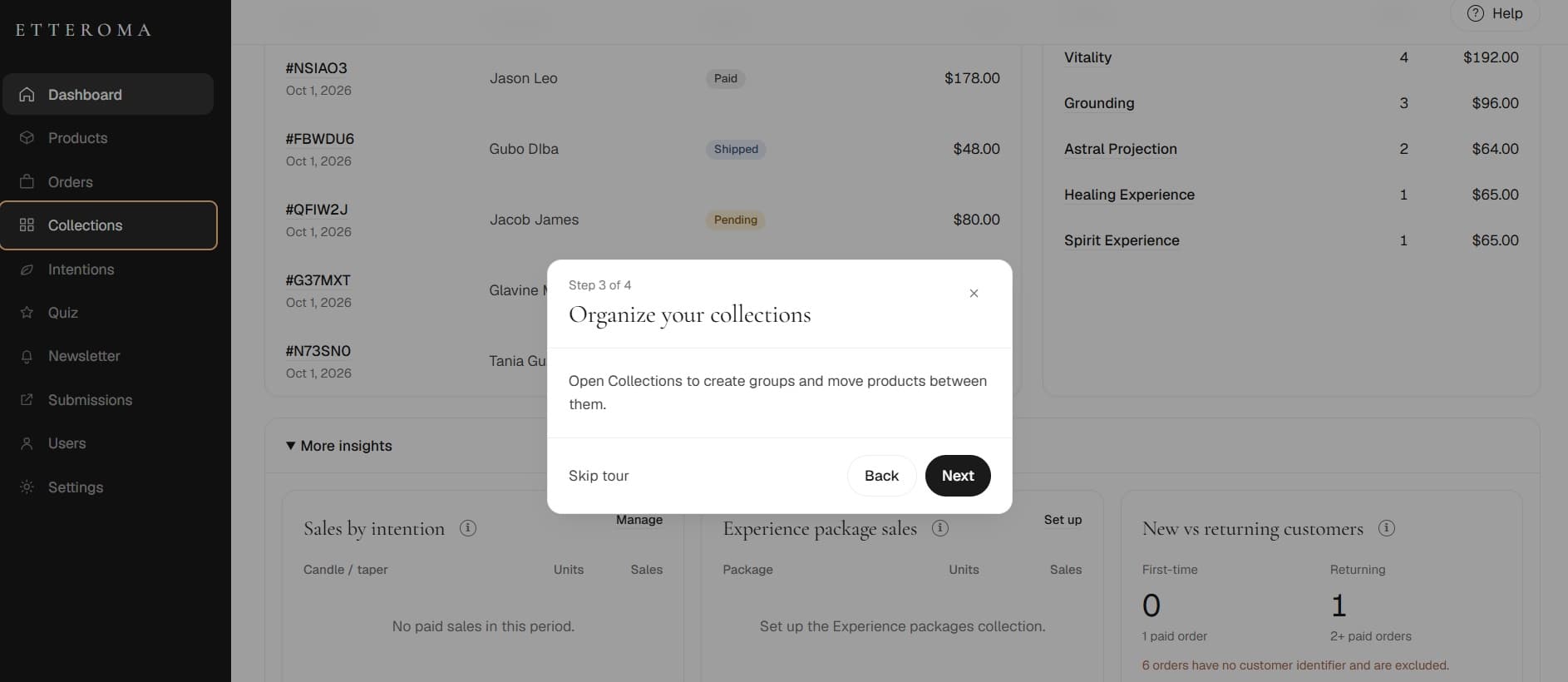
Organize collections
Understand product grouping.
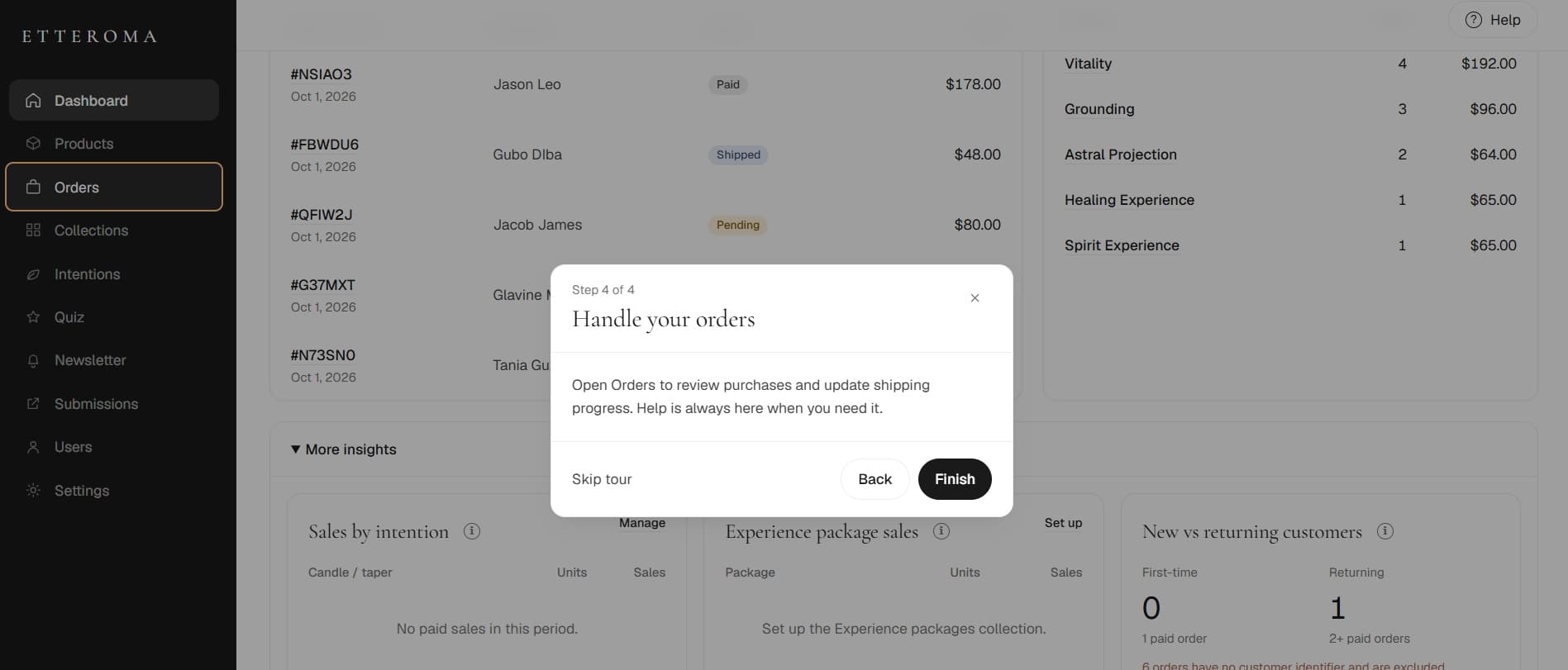
Handle orders
Follow purchases through fulfillment.
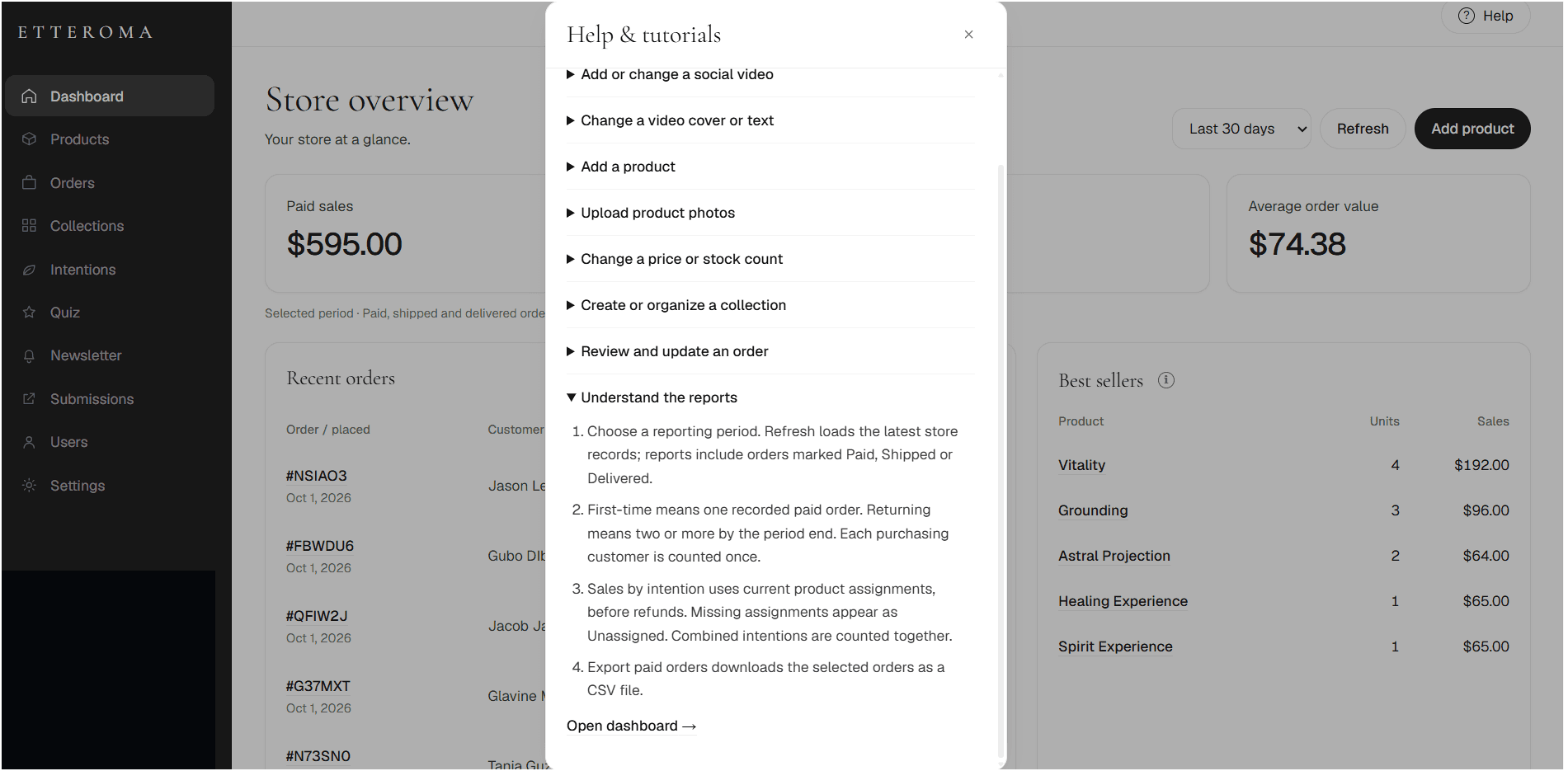
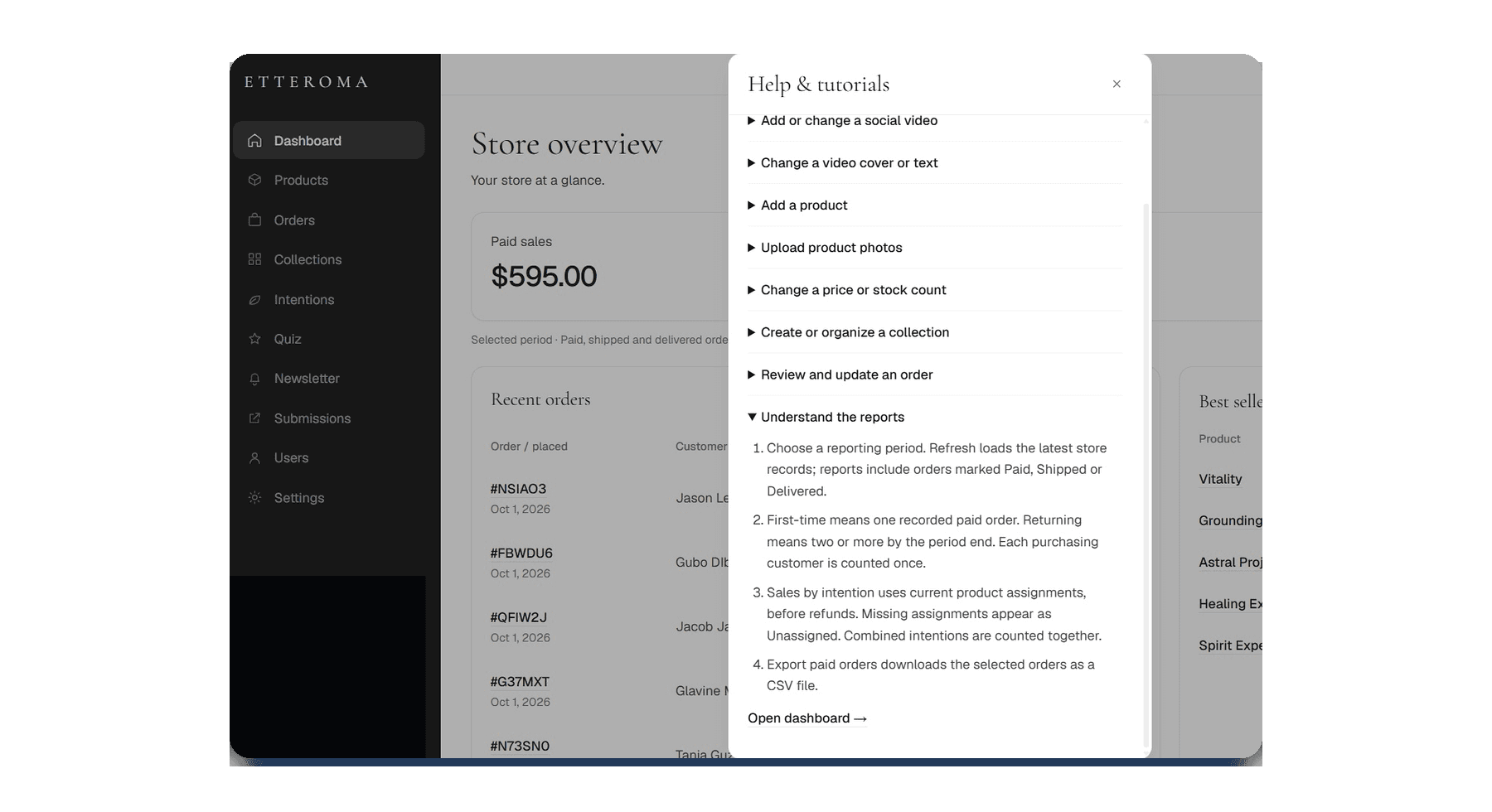
Built-in help
The Help & Tutorials area keeps common operating tasks documented inside the dashboard.
Technical foundation
Product records, order state, reporting, payments, users and transactional communication depend on the application layers underneath.
Dashboard interface
Next.js / TypeScript
Application & API layer
Business logic and workflows
Business data
Products, orders, users, reporting
Stripe
Payment processing
Resend
Transactional communication
Dashboard interface
Next.js / TypeScript
Application & API layer
Business logic and workflows
Business data
Products, orders, users, reporting
Stripe
Payment processing
Resend
Transactional communication
Outcome
Catalog administration
Product information, pricing, inventory, availability and collections.
Order visibility
Payment and fulfillment remain visible through the workflow.
Business visibility
Paid sales, order activity, units and best sellers.
Operating guidance
Onboarding and help remain available inside the dashboard.
Custom dashboards & internal applications
Next project
Custom Web Development for Healthcare Staffing